



If you have a website or are involved with the internet, chances are you rely on various tools developed by Google. Google offers a wide range of products, such as the search engine, Google Domains, and Google Workspace. Among these, tools like Google Analytics, which gathers information about website visitors, are particularly important for daily operations.
Until recently it was necessary to implement and track all these tools in separate panels and environments. However, in an initiative aimed at WordPress users, Google launched the Site Kit. It is a WordPress plugin that installs and compiles the main and most popular Google tools for websites.
Learn about the functionality of Google Site Kit and how it can be implemented on your website by reading further in this article.
Google’s Website Kit: What is it?
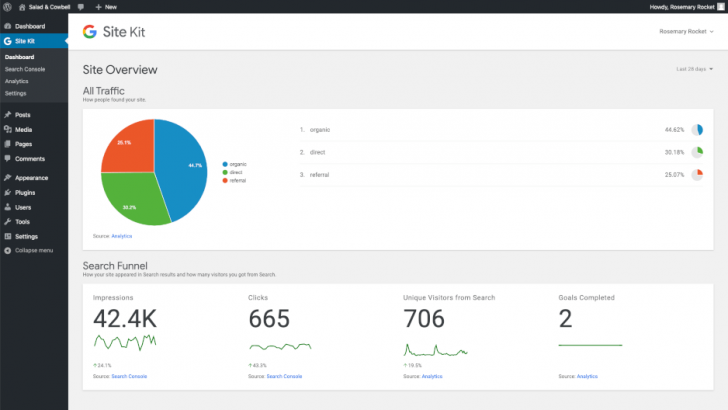
The Site Kit is a no-cost WordPress tool that simplifies the utilization of key Google features for websites. It provides site administrators with data on audience, speed, performance, search engine visibility, ad monetization, and more.
Site Kit gathers data that is shown in the WordPress dashboard. Furthermore, users can access information and analytics on site pages via the WordPress toolbar.
Who the plugin is recommended for
Google’s Site Kit is designed mainly for WordPress site owners and admins. It allows users to easily access various site information directly on the WordPress dashboard without the need for coding changes. Installation and setup are simplified, requiring just a few steps after installing the plugin.
Agencies and developers can utilize the plugin to provide pertinent details about their clients’ websites. The information gathered by Site Kit is accessible exclusively to users holding the Administrator role, ensuring that only selected individuals can view the reports.
Theme developers, plugins, and hosting providers can take advantage of the capabilities of Google Website Kit. They can seamlessly upload and showcase services on external platforms through integrations.
Automattic’s JetPack is another free plugin that offers the capability to integrate tools and information directly into the WordPress dashboard, providing features that were previously exclusive to the platform. Be sure to explore our WordPress JetPack review for more information.
Discover the top translation plugins for WordPress to find a multi-language plugin for your website.
Resources that can be accessed on the WordPress plugin website
This WordPress plugin gathers key Google tools and systems for websites and presents them within the WordPress admin panel.
All Google services available on Site Kit are free to use on your website, regardless of how many sites you have.
The systems/services available on the Kit Site are:
- Search Console is a crucial tool for individuals looking to optimize their website’s visibility on Google search results.
- Google Analytics is the most commonly used audience tracking platform globally, and it is necessary for websites of all sizes.
- PageSpeed Insights is a system for analyzing site performance that provides details on page loading time and offers tips for enhancing performance.
- AdSense is a Google platform for displaying ads designed for content creators who want to earn money by showing advertisements on their website or blog.
How to set up and begin using the plugin
The plugin can be utilized on any WordPress site hosted by a hosting company. WordPress.com users can also use the plugin on the Business and e-Commerce plans, which support third-party plugin installations.
Now that we have resolved the uncertainties, let’s move forward!
The installation process for Site Kit is straightforward, whether you download it from the WordPress plugin directory or install it directly within the WordPress panel.
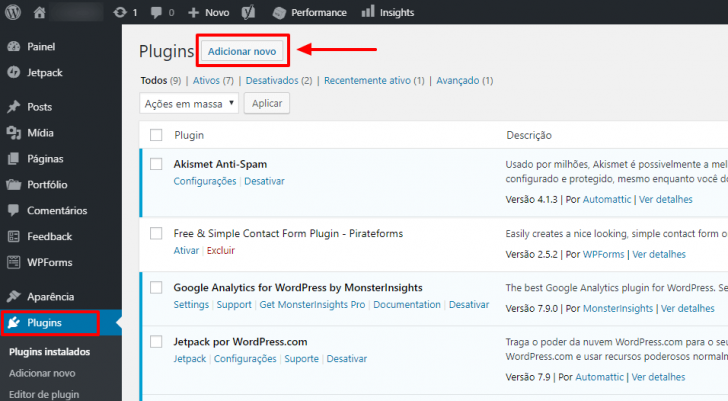
Go to the Plugins section in the WordPress admin panel and select Add new to install a new plugin.
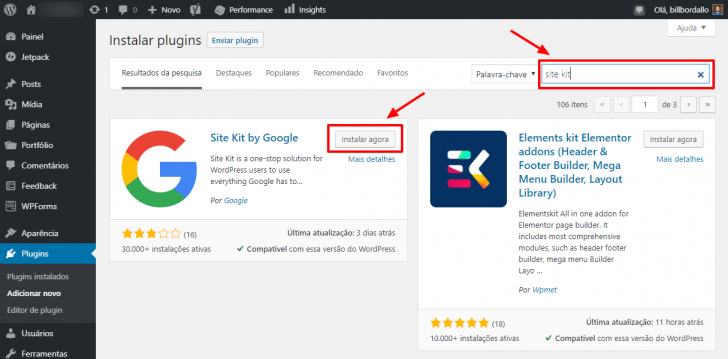
Search for “site kit” in the search bar and then find the Site Kit in the search results to proceed with the installation by clicking on “Install now.”
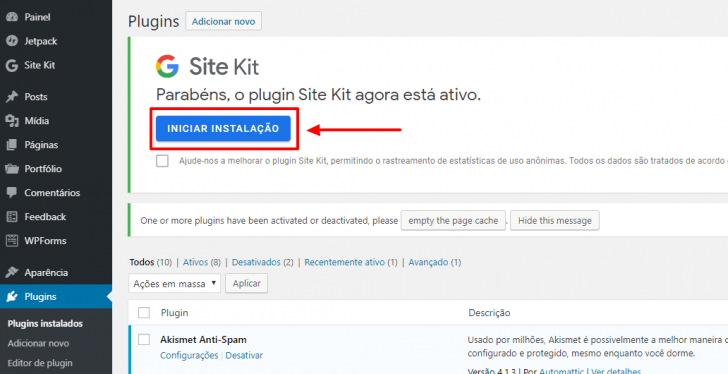
After you have installed the plugin, select Enable.
After activating the plugin, integration with Google tools is required. To do this, access the Site Kit option in the side menu and proceed to Settings, or simply click on Start installation immediately after activation.
You will be taken to the external setup page of the Site Kit, where the initial screen shows the three essential configuration steps, which were displayed in English during my setup process.
- Verify site ownership (to inform Google that you are the site administrator).
- Access authorization to certain data within your Google account.
- Configure Search Console.
Click on Sign in with Google to begin.
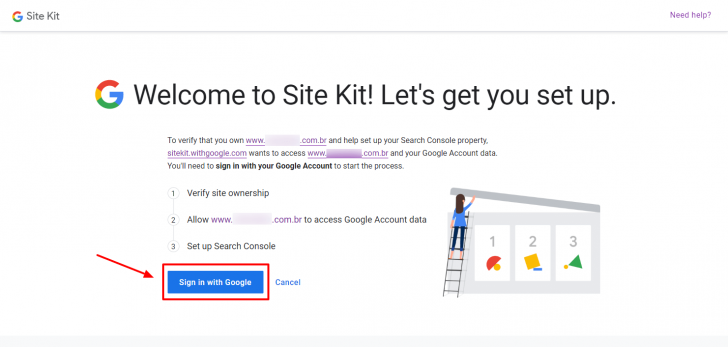
You will need to verify on the next pages that the Site Kit plugin can access certain data from your Google account, pertaining to services like Search Console. The plugin does not access any personal data.
To proceed, click Allow and proceed.
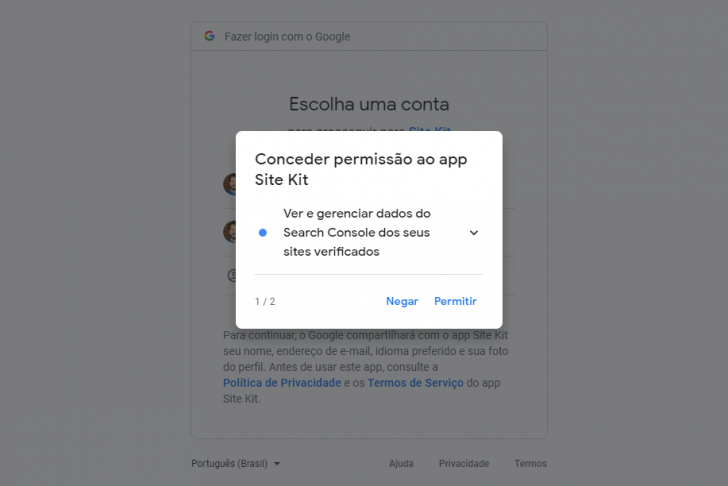
After setting up permissions, a summary of the granted authorizations is shown on the window.
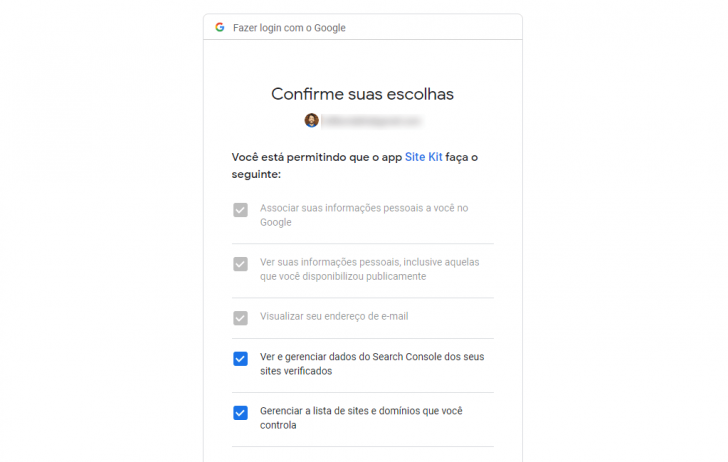
Some of these steps may be skipped depending on the Google tools you are already using. For instance, if your site is already set up in the Search Console, you may not need to verify the property again.
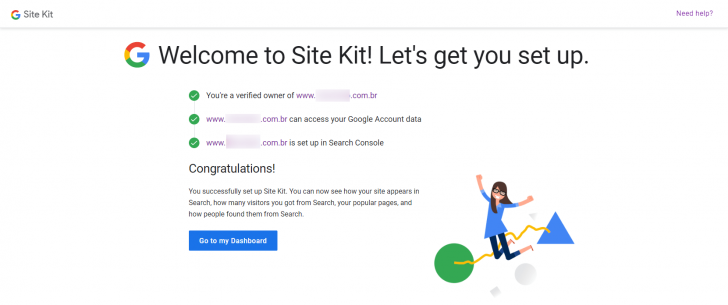
The system will lead you through the required steps until the initial setup is finished. After completing the process, a confirmation screen will appear, and you can return to the WordPress panel by clicking on Go to my Dashboard.
Other services setup
Upon returning to the WordPress dashboard, I observed the Search Console data was already visible on the screen.
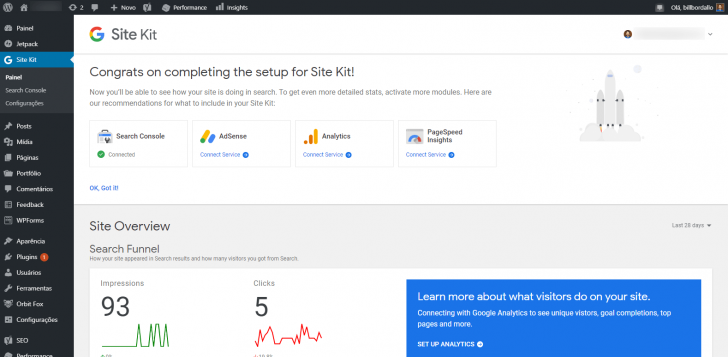
The other suggested services (AdSense, Analytics, and PageSpeed Insights) were still waiting to be activated. To enable them, I just had to click on the Connect Service link next to each one and then follow the provided instructions.
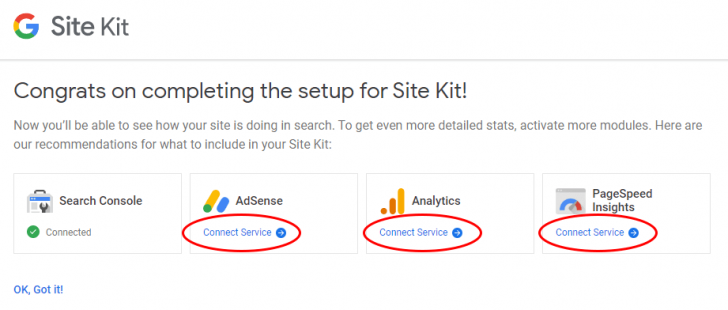
The process is akin to the initial setup, where only permissions need to be given to access the plugin. No coding is needed, indicating that Google designed the plugin with the general public in mind.
The plugin recognized the tracking tag on the website when I selected the option to link Google Analytics.
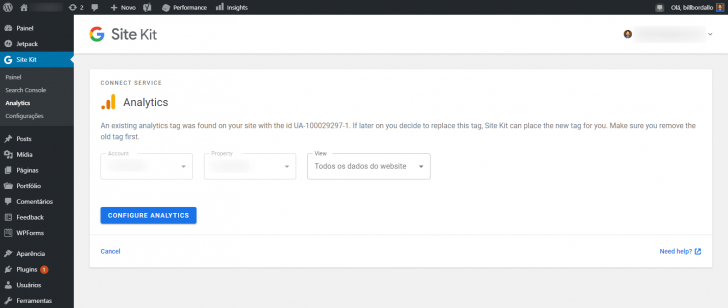
I just had to click the Configure Analytics button, verify some details, and it was set up! Analytics information is now visible on the home screen.
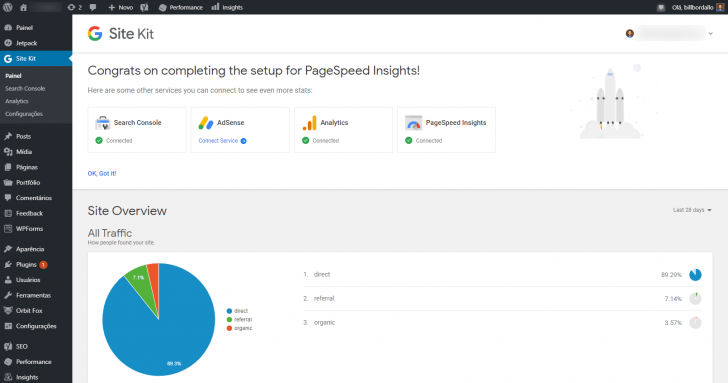
To use PageSpeed Insights, you just had to activate the tool without providing any additional information.
I couldn’t set up AdSense ads on the website where I tested the Site Kit plugin because they weren’t displayed there.
After setting up the preferred settings, a summary of each enabled service is displayed on the dashboard’s main screen. The Site Kit integrates data from Search Console, Google Analytics, PageSpeed Insights, and Adsense.
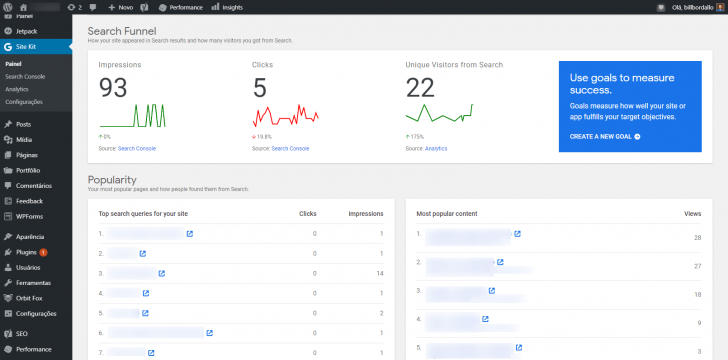
Scroll down the screen to view hidden information.
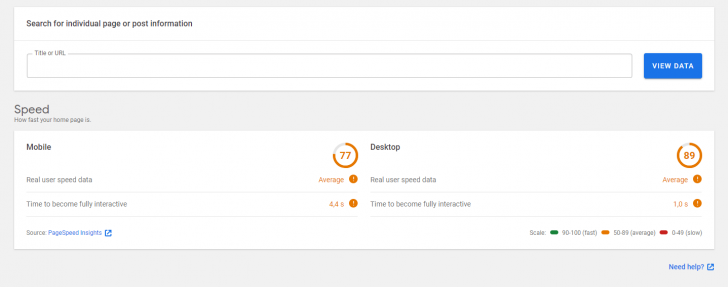
To view data on a particular page, utilize the search field to access the information.
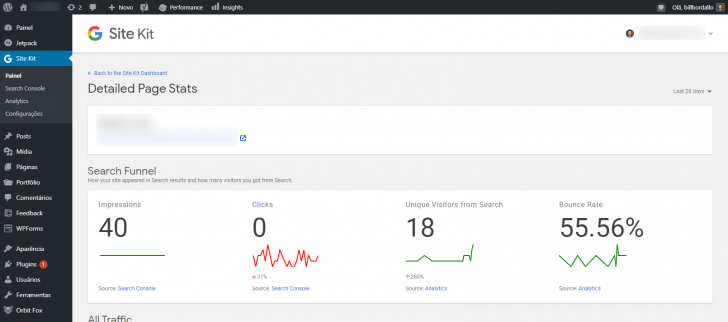
For every set up service (excluding PageSpeed), you can find an option in the WordPress side menu. Clicking on it gives you a comprehensive view of the platform, similar to using the service directly.
The Settings option shows the services that are currently connected…
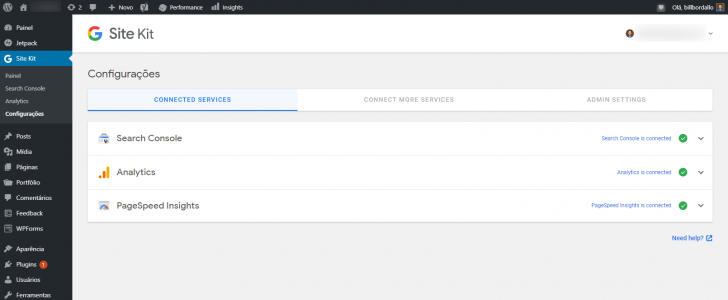
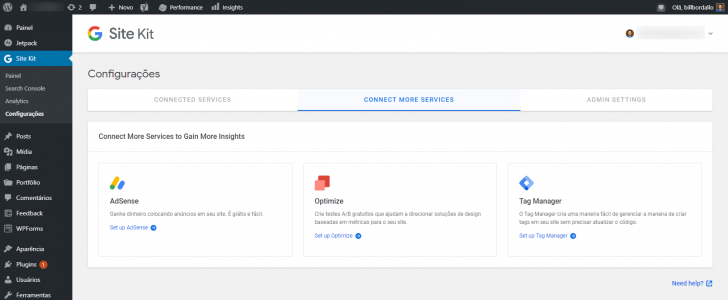
…that are accessible, yet not set up…
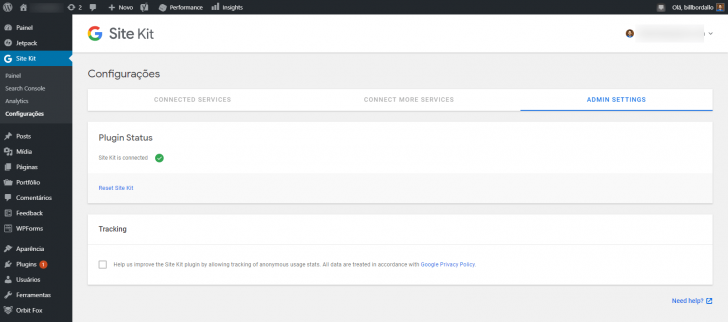
The admin section includes plugin status and the ability to share data with plugin developers, although I decided not to activate this feature.
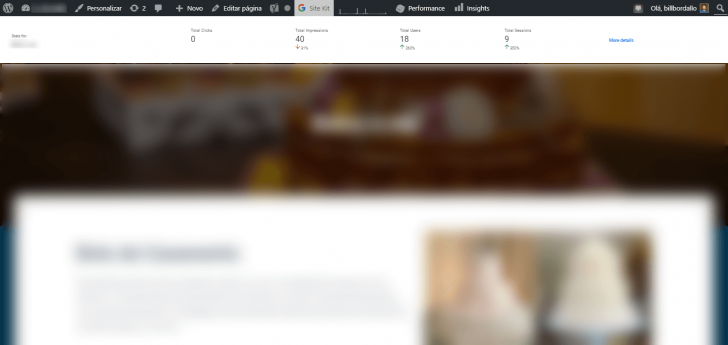
The plugin provides real-time information on the WordPress bar for logged-in users, allowing them to see data about the current page they are viewing across the site.
chsyys/GettyImages
Explore Crocoblock for enhanced WordPress capabilities with its range of plugins.
Evaluation of the Google Site Kit plugin for WordPress at the end
Gathering Google’s main services on websites through the WordPress dashboard is a great concept. Additionally, there are unofficial plugins available that can integrate these services separately. Yet, when Google takes the initiative itself, it adds a new dimension to the story.
The WordPress Site Kit plugin provides a great user experience similar to other Google services. Besides its simple setup, it effectively delivers valuable site insights.
It is recommended for website owners or administrators to consider installing the WordPress Site Kit from Google. Valuable data and insights can be obtained to enhance the site without impacting its appearance or loading speed.
It’s important to have reliable, high-speed, and SSL hosting to rank well on Google. Familiarize yourself with top hosting options available in the market!
Published on 11/11/2019 and revised on 18/12/2021.
Google and WordPress tags are mentioned.