

When creating a website or blog, attention to all aspects is crucial for success, from choosing a domain name to publishing the content.
These elements encompass selecting a quality website building tool, creating engaging and structured content, utilizing an appealing and practical template, and other well-known factors. However, one detail that often goes overlooked in the expansive realm of website creation is the favicon.
A favicon, despite its small size, is crucial for websites as it offers various benefits. Learn about what a favicon is and the advantages of incorporating it on your website, blog, or online store in this article.
What is a favicon?
The term favicon originates from the combination of “Favorite” and “Icon”, suggesting a small image representing a website displayed in various forms on web browsers and operating systems.
Favicons were initially known as favicon.ico files placed in a website’s root directory. Introduced in 1999 by Internet Explorer, they were used to identify favorite website addresses. Over the past two decades, favicons have evolved and remain popular today.
If you are unfamiliar with the concept of a favicon, you have likely encountered it frequently while browsing the web. Would you like to take a look?
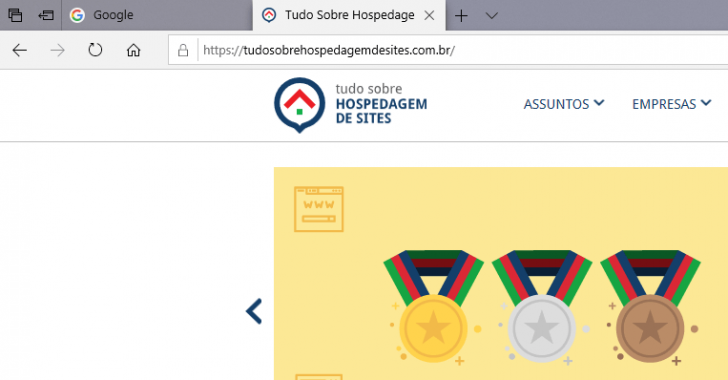
When we visit a website using a computer, the browser tab shows an icon known as a favicon that represents the site being viewed. Additionally, depending on the space, the page name may also be visible in the tab.

This identical icon can be seen in various other locations, including beside a website’s address, browsing history, and list of favorite sites, to mention a few instances.
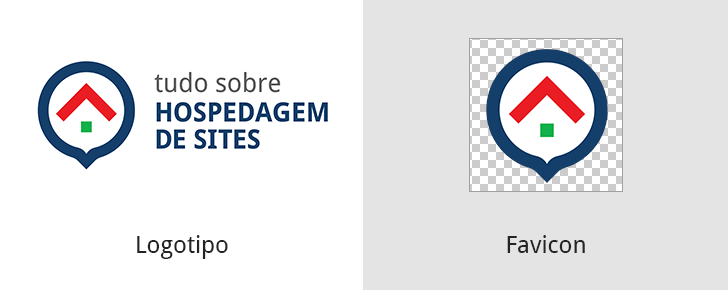
Favicons are typically made from a website’s logo or brand but it’s not obligatory. Once created, this file (or group of files) is uploaded to the site using various methods and then utilized by web browsers like Chrome, Edge, and Firefox.
Favicon Image File Formats
In the past, favicons had to be in .ICO format, but now there are options to use different file types. However, browsers have limitations on the file formats supported for favicons, which limits the choices available.
I will mention the most common formats and browsers to help you navigate creating a favicon, considering popular browsers like Google Chrome, Edge, Firefox, Safari, Internet Explorer, and Opera.
The primary supported file formats include .ICO, .PNG, and .GIF, with some browsers also supporting .JPEG and .SVG. Using other file types may pose a risk of the image not displaying in certain browsers or older versions with limited support. Additional information on this topic can be found in a Wikipedia article.
I suggest using a widely-used format like .ICO, .PNG, or .GIF for your site’s favicon to prevent any issues with display.
Ideal dimensions for a favicon
The size of the favicon can vary significantly due to the numerous screens, operating systems, and devices on which it may appear. Despite the variations in size, it is important to note that the favicon is always a square image.
A popular size for favicons is 32×32 pixels, but it’s advised to offer various sizes to ensure compatibility across different devices, including those with retina displays like certain iPads, iPhones, Apple computers, and Android smartphones.
Some screens with a higher pixel density may not display a favicon clearly if it has fewer pixels.
There are various formats and sizes available for favicons, and you don’t have to be an expert in Photoshop to add a custom icon to your website. Adding a favicon is usually a straightforward process.
Where is the favicon shown?
Favicon display locations can differ based on the browser and device being used to access a website. On computers and popular browsers, favicons may appear in the browser tab, bookmark list, link bar, desktop shortcut, browsing history, and address bar navigation list.
Favicons are also visible on mobile devices like smartphones and tablets, with each operating system presenting and showing the icon uniquely. Various locations where favicons are shown include…
In the tab of the browser
Each browser presents favicons in a unique way. In Google Chrome, favicons are utilized to distinguish between open pages, with each tab displaying the corresponding site’s icon. Text is also shown alongside the icon when there are only a few tabs open.
In the address bar of the browser
Safari browser on a computer shows site icons next to URLs, unlike Chrome. Favorite websites list in Safari also displays icons.

Google Chrome shows a lock icon instead of a favicon in the address bar to indicate if a website is secure, requiring a valid SSL certificate.
It is crucial to have an SSL security certificate on your website now. Not only does it protect the information exchanged between users and the website, but it also improves the site’s ranking on Google. If your website doesn’t have one yet, learn how to get a free SSL certificate by reading this article.
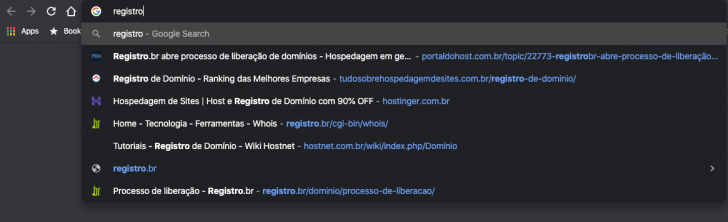
Chrome does not show the favicon in the URL bar, but it displays the icon in the navigation list when entering an address, which includes visited pages and Google search suggestions. The same applies to browsing history.
In the bookmarks category
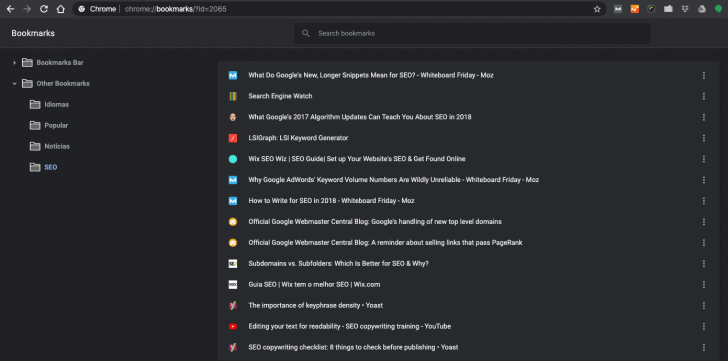
Users frequently save their favorite websites in a designated section called “bookmarks,” which is a common practice across different browsers, despite variations in how bookmarks are organized and displayed.
The Chrome bookmarks section on the computer displays icons next to favorite addresses.
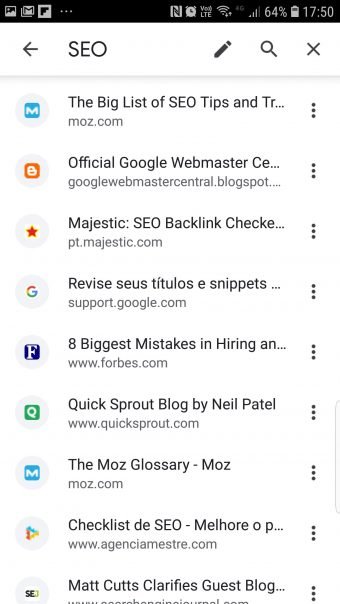
Despite the distinct appearance, accessing the majority of this information via mobile is feasible. Additionally, in certain instances, users can even see the website icon (favicon), as illustrated in the example below from Chrome’s bookmarked pages section.
On the homepage of the browser
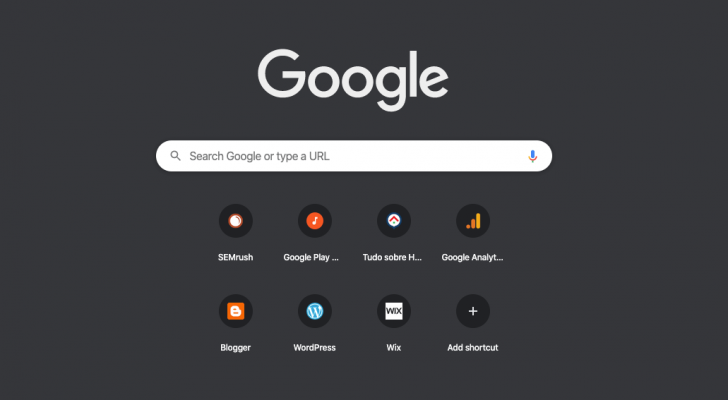
When we open a new window or tab in a browser, we often encounter an initial screen that serves as a starting point for browsing. This screen typically includes quick links to favorite or recently visited websites based on the user’s settings.
In Chrome, you can personalize how it looks, and the added pages in this area receive a shortcut with an image taken from the site’s favicon.
chsyys/DepositPhotos
The Internet is constantly changing, similar to web browsers. Therefore, it is more crucial to understand the significance of having a favicon on your website rather than focusing solely on where it appears.
What is the significance of a website’s favicon?
Favicons offer numerous benefits to a website beyond just being a basic icon.
Strengthens the brand of the website
When a favicon is added, the brand is visible to users when they visit or bookmark the website. The favicon appears in various browser locations such as the tab, address bar, browsing history, and other areas on both computers and mobile devices.
When used together with other marketing materials like email, business cards, advertisements, and the website, a favicon serves as a tool to strengthen the brand with the intended audience.
Help the user with identifying the site.
Internet users often have multiple tabs open in their browser simultaneously, making it essential to have a favicon for easy page identification among the icons.
The user can easily recognize a website quickly by either typing a previously visited address or searching for a page in their favorites if the site has a favicon.
Emphasizes the brand on the Google search results page.
The final element is crucial for the visibility of websites on Google search engine results pages. Favicon is currently shown on some search result pages, highlighting websites with this unique icon.
Google has been showing favicons next to website URLs on its mobile results page since mid-2019. This feature is meant to assist users in recognizing sources quickly and selecting the most relevant result.

Google recently implemented a new design update, which included displaying favicons next to the search results’ addresses on desktop surveys, among other changes.

Google reverted back to the previous design following user feedback but will continue to explore new ways to incorporate the favicon for an improved user experience.
Also check out: 8 free online design tools for your website
Summary
Having a favicon is a crucial element for websites as it enhances brand identity, aids user navigation, and boosts visibility on Google search results.
Favicons are typically square in shape and are made from the site’s logo to ensure visibility at smaller sizes. If you don’t have a brand yet, you can explore our selection of 15 logo creation tools. The common file extensions used for favicons include .ICO, .PNG, and .GIF.
Anyone with a logo can create the image using various methods, with many websites simplifying the process through their tools. Platforms such as WordPress, Blogger, Google Sites, and Wix offer guidance on how to upload a favicon, specifying the supported file sizes and formats. In some instances, users may need to generate a file set and upload it to the site directory, but this topic will be covered in a separate article.
Was this article helpful to you? If you have any queries about favicons, feel free to ask in the comments, and I’ll gladly answer! If you don’t have a website yet, explore our collection of 17 free website builders and kickstart yours now. 🙂
Publication date: 31/01/2020 (latest update on 09/11/2021)
Concepts are identified using tags.